GUIDE · BINDING
How to Bind
How to bind your prints like a book with a heat-binding cover. Check how many covers you need and pay first. Always let it cool for 10+ minutes.
How to bind your prints like a book with a heat-binding cover. Check how many covers you need and pay first. Always let it cool for 10+ minutes.
This service puts your prints in a heat-binding cover and melts the glue with heat to make them into a book. The order is: choose a cover and pay → warm up → put it in the machine → timer → cool for 10+ minutes. Great for theses · reports · contracts.

First choose a heat-binding cover that fits your number of sheets.e.g.) For 20 sheets, use the 20-sheet cover (2mm).
In the display case, covers are labeled 20 · 40 · 60 · 80 · 100 · 120 · 150 · 180 · 200 sheets (매/장). (Depending on the store, it's written as '매' or '장'. Both mean "sheets".)🤔 No cover that exactly fits your number of sheets?
Take 2 covers close in thickness to your number of sheets, try your pages in each, and use the one that leaves less empty space.
e.g.) For 110 sheets, try both the 10mm and 12mm covers.Check that there are enough of the cover you chose, then pay at the Toss kiosk.
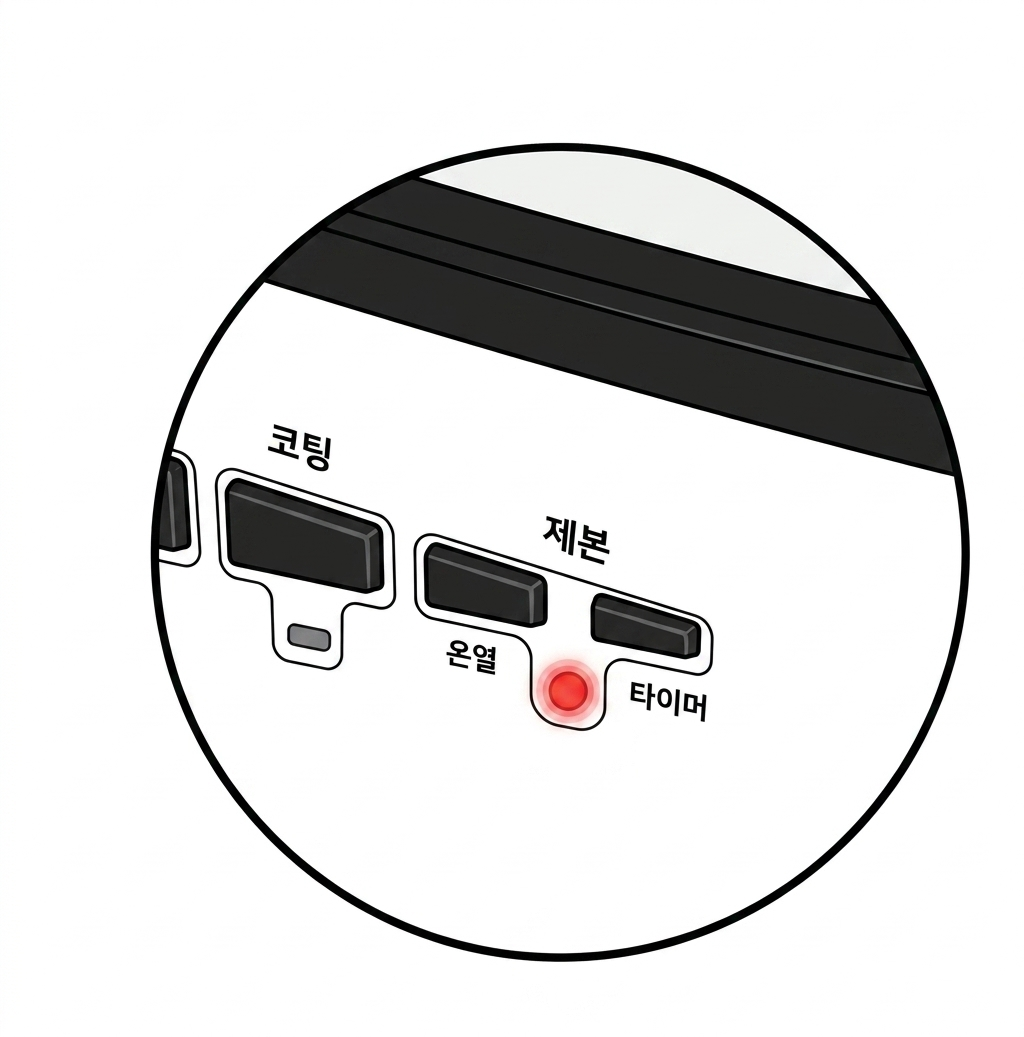
Press the power button, then press the heat [온열] button once.
The light blinks, and after 3 minutes an alarm sounds and the light stops blinking. Warm-up is done.
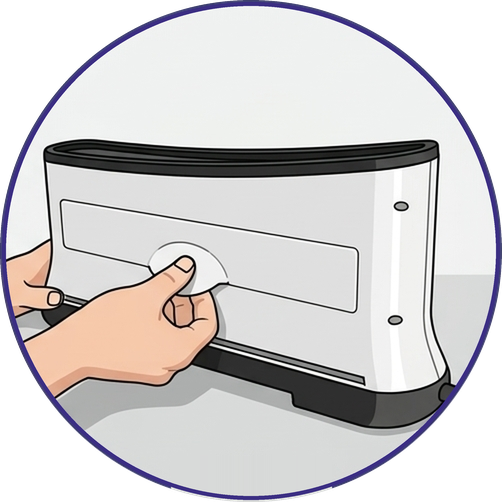
Pull the cooling tray at the back of the machine to open the slot.
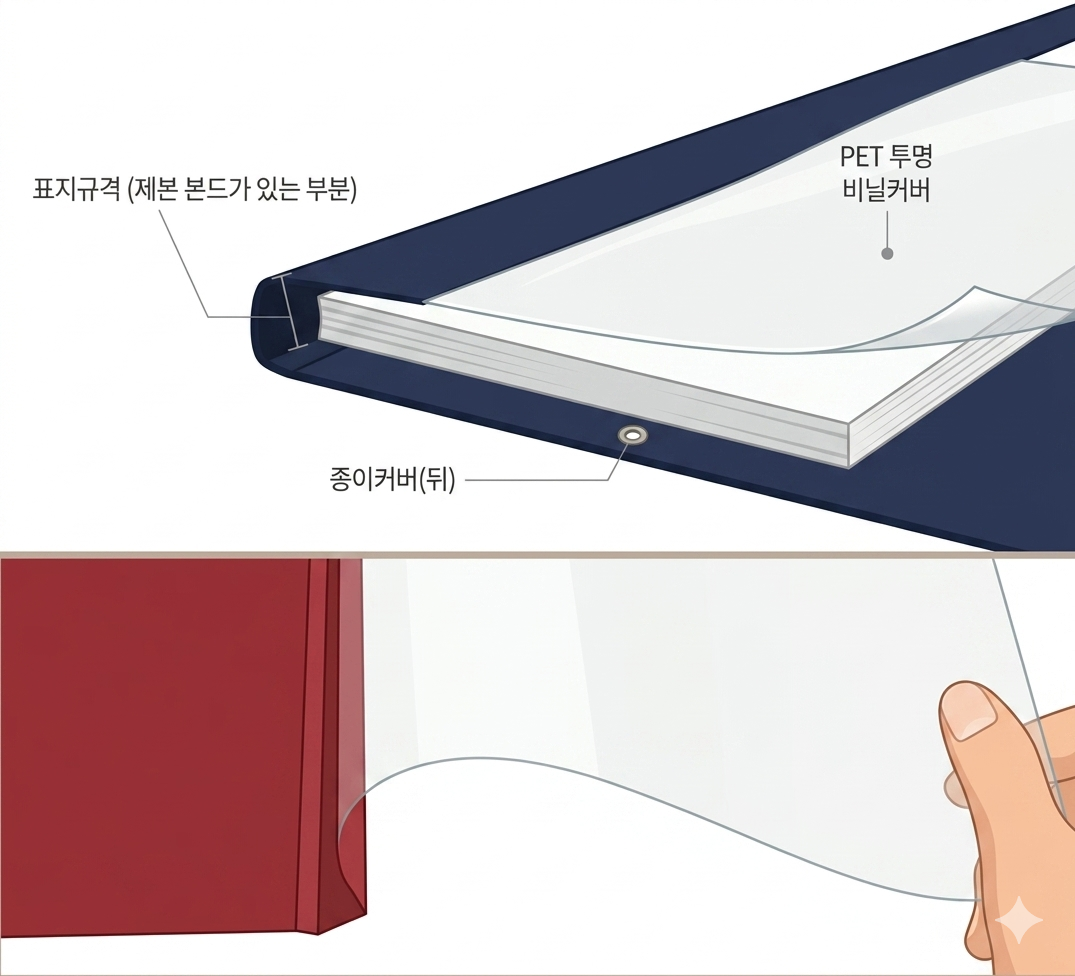
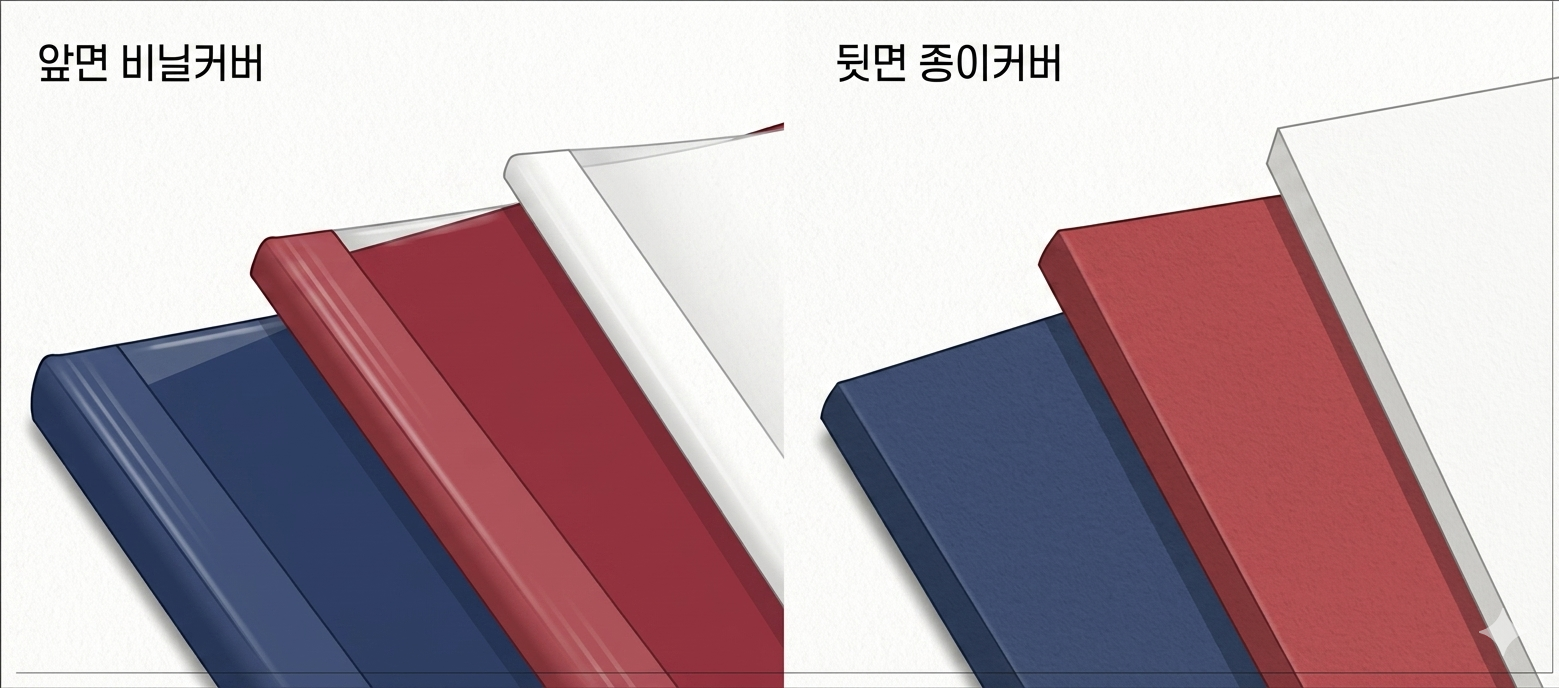
Put your prints inside the heat-binding cover. Line them up so the edges touch the glue (binding line) inside evenly.
The cover has a clear plastic front and a paper back.
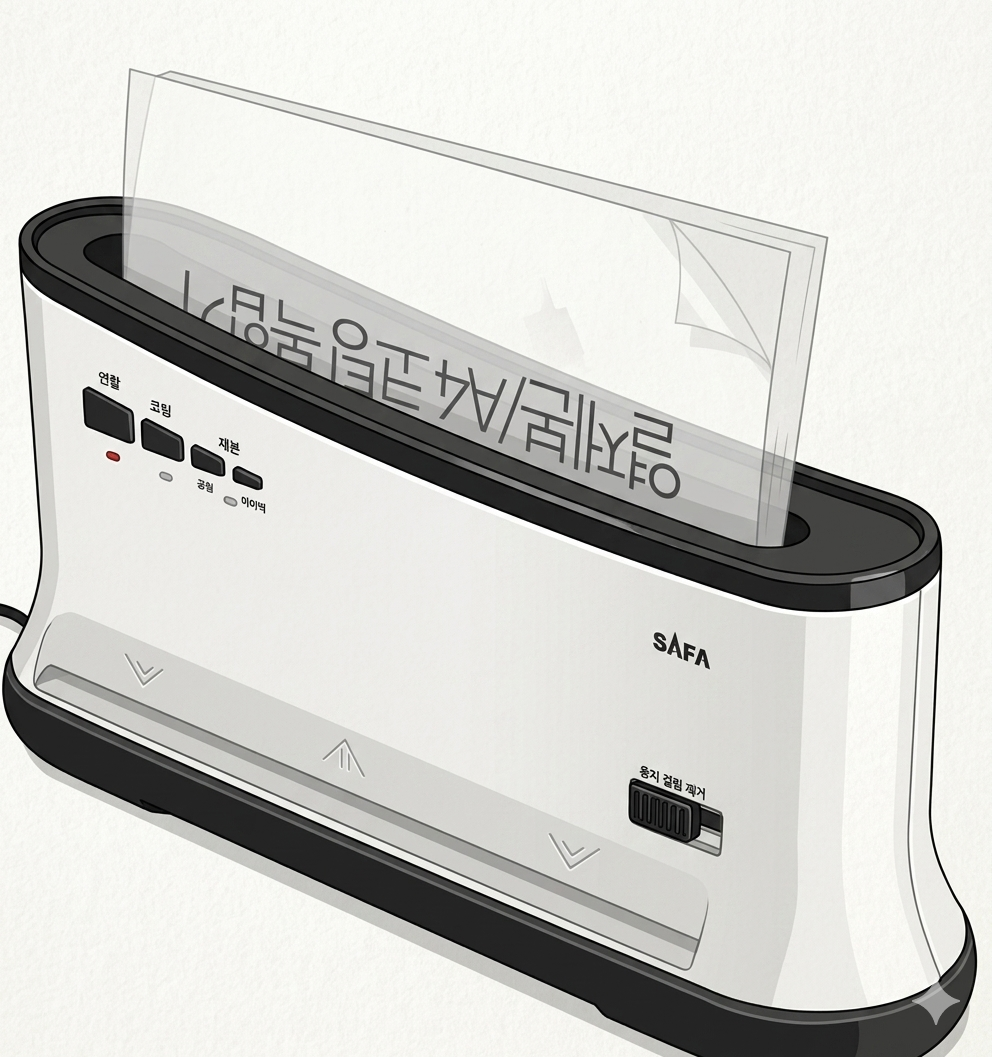
Put the cover in the slot closed (glued) end first.
Push it in all the way until it won't go any further.
Press the timer [타이머] button.
The light blinks again, and after 1 minute an alarm sounds and the light stops blinking. Then take it out.
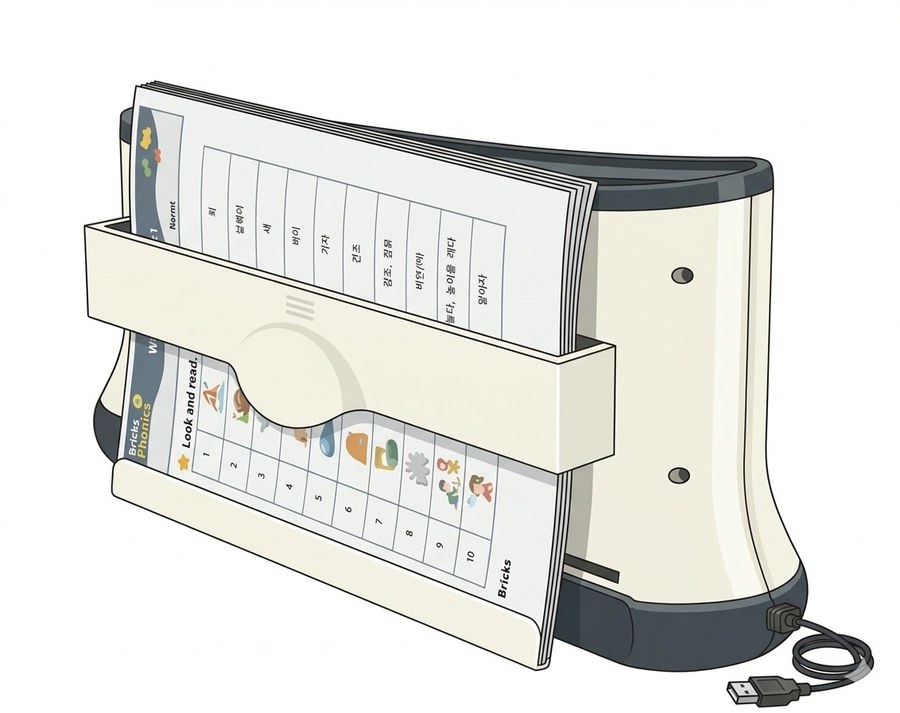
Never open it right after taking it out.
Put it in the cooling tray or on a flat surface and let it cool for 10+ minutes before opening.
The thicker it is, the longer than 10 minutes — wait until the side is no longer hot and the glue inside the cover has fully cooled and hardened.
This page was translated from Korean. If anything looks wrong, please tell us on Naver TalkTalk. Screens on the machines are in Korean — the Korean button names are shown in [brackets].