GUIDE · COPY
How to Copy
How to make one more of the same paper you brought. ID card · bankbook · passport · book copies are covered too.
How to make one more of the same paper you brought. ID card · bankbook · passport · book copies are covered too.
This service makes one more of the same paper you brought. You don't use the PC. Everything is done at the printer machine.
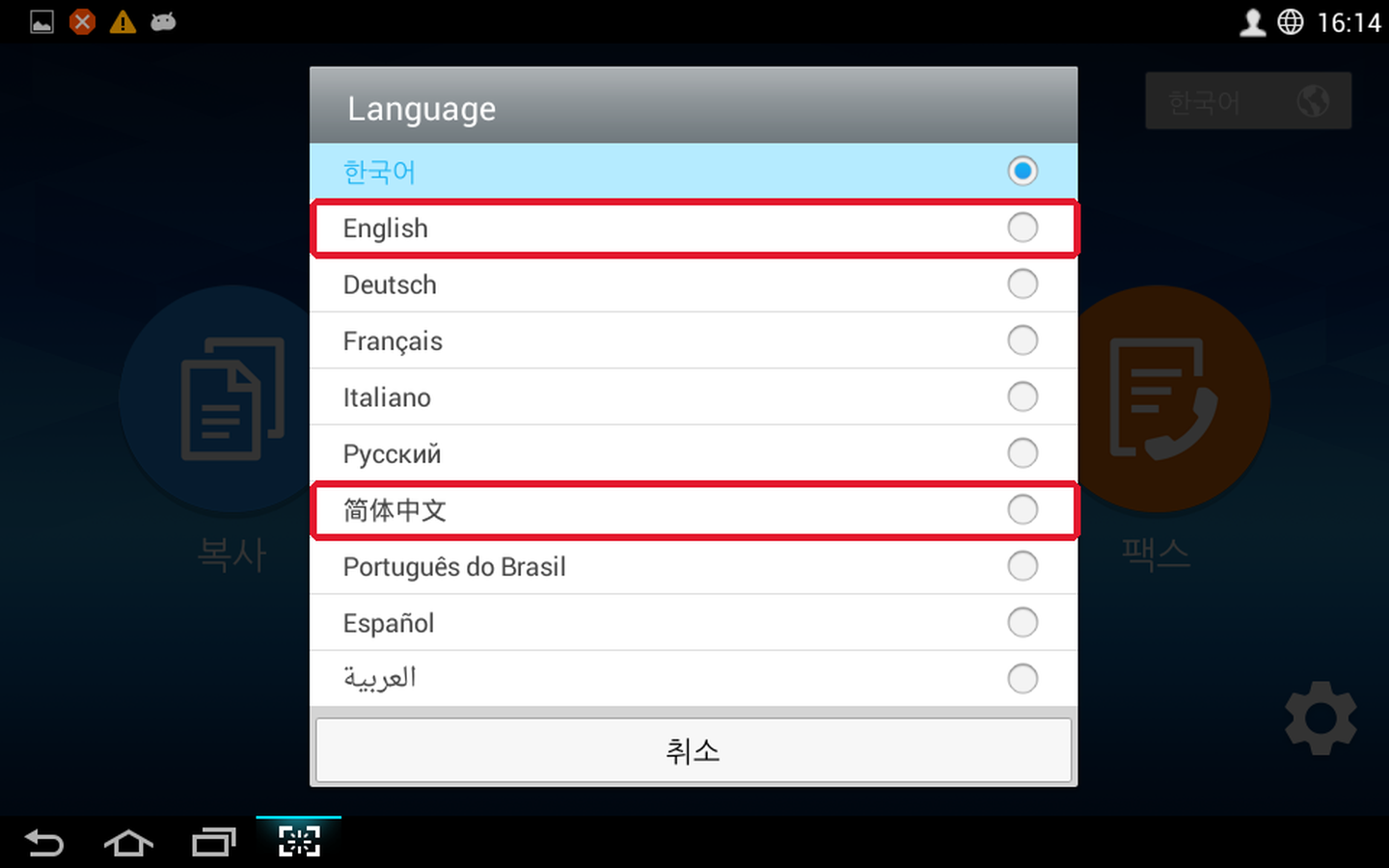
![The [한국어] button at the top right of the printer machine's first screen](../images/common/mfp-lang-1.png)
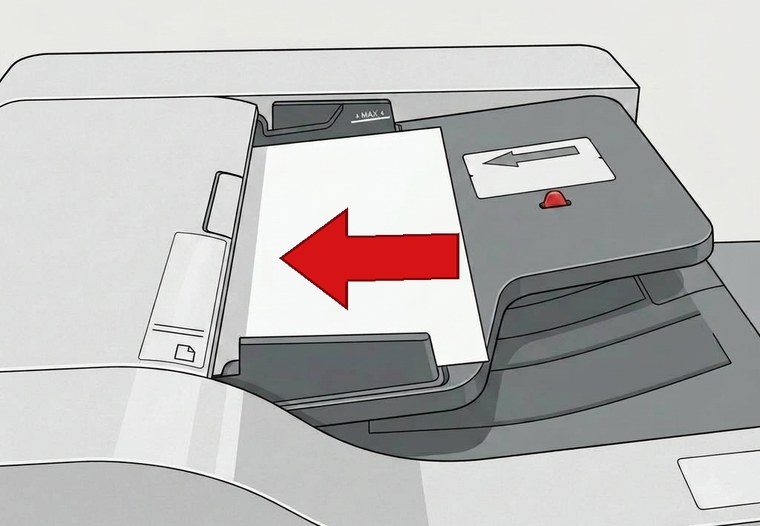
Always place the original first, then press [Copy] on the screen.
![Copy settings screen. [Basic Copy] in the red box at the top left is selected in blue, with copies, color and original size options](../images/copy/copy-settings_en.png)
Choose the options you want — the number (how many sets) · original size (A4 by default; change it if your original is B4 or A3) · color/B&W — then press [Start]. The original goes into the machine and comes back out.
Check that [Basic Copy] in the red box is selected in blue.
The number 1 on the screen doesn't mean 1 page. It means 1 set of all the originals you put in.
e.g.) If you have 10 pages and the number is 1 → 1 set = 10 pages come out.
If you change it to 2 → 2 sets = 20 pages come out. (2 of each)
❌ Don't change it to 10 just because you have 10 pages! That makes 10 sets (100 pages) and costs a lot. For one set, leave it at 1.
We do not compensate for or take responsibility for problems caused by wrong option settings.
If it works, the price screen [Billing Information] appears by itself. If everything is correct, press [OK].
When the card reader speaks, insert your IC card (credit/debit) at the back, or hold Samsung Pay to the wide front area. Don't insert it early or pull it out in the middle.
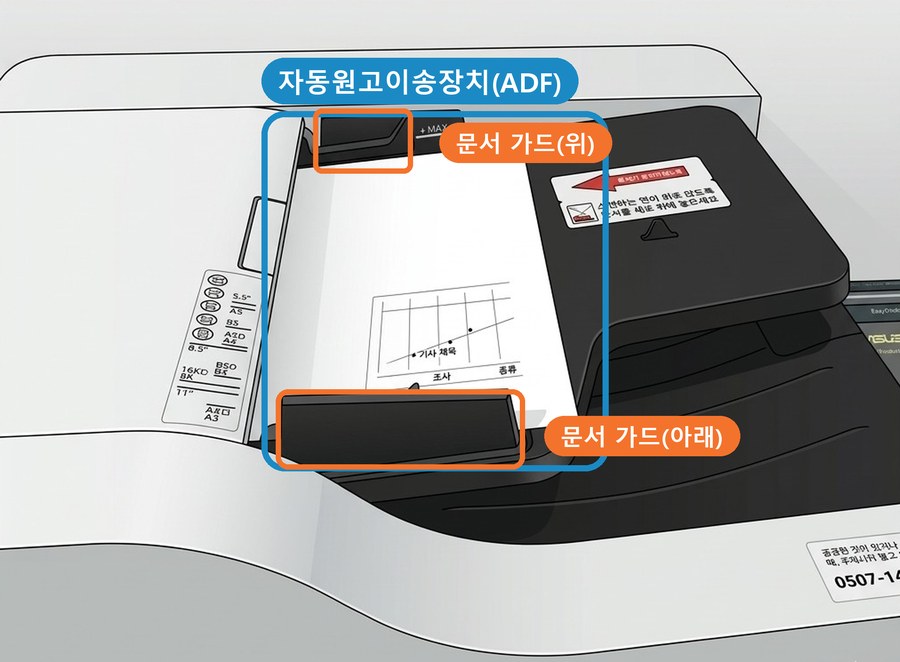
ID cards · bankbooks · passports · books are not loose sheets, so don't put them in the document feeder. Open the printer machine cover and put them on the glass. The white arrow at the top-left corner of the glass is the guide, and the side with the content faces the glass. Only ID cards go about 5mm away from the corner.
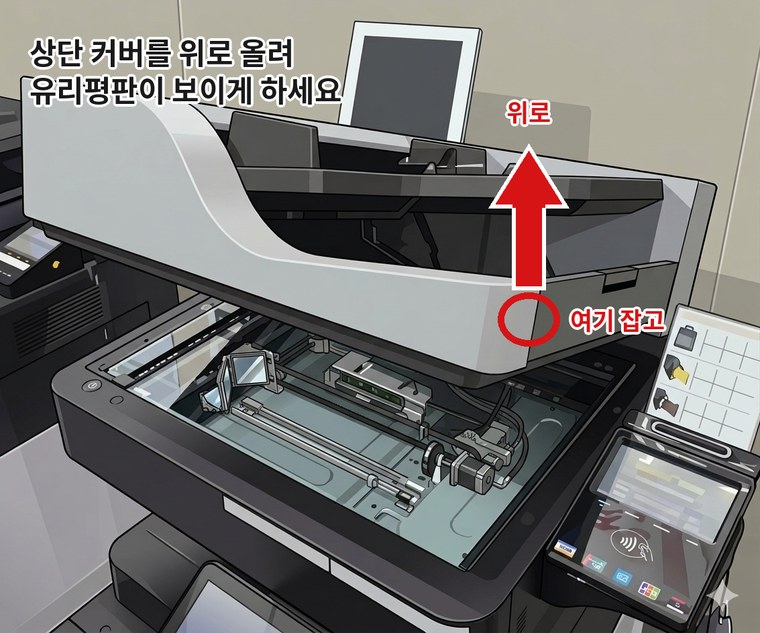
Hold the front right part of the machine and gently lift it up to see the glass. Don't pull it hard.
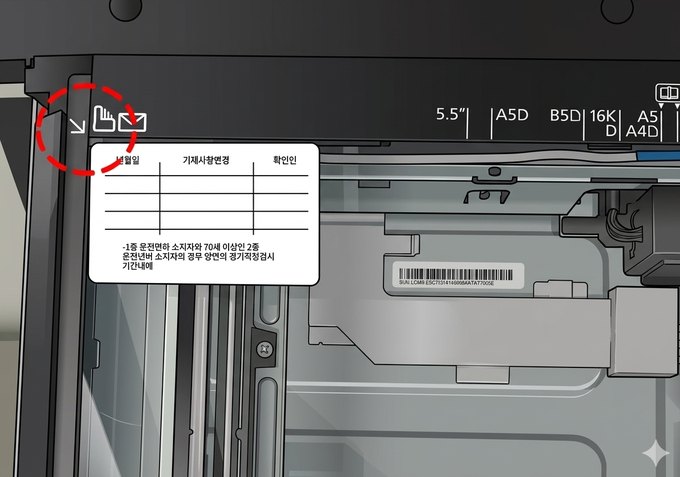
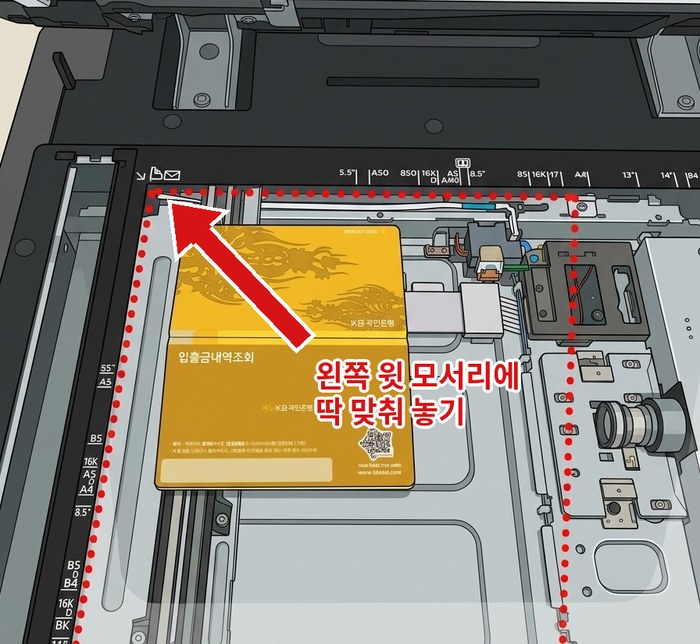
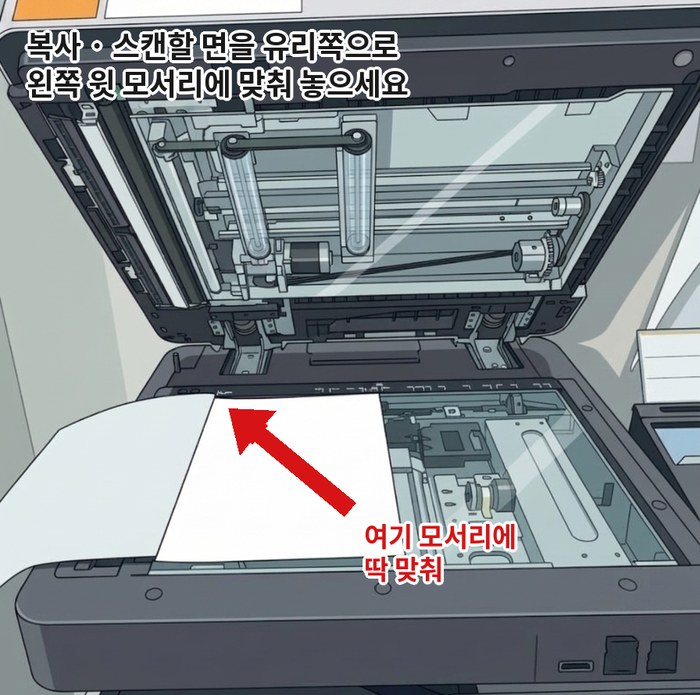
On the copy screen you can change the size and how dark it is.
![Copy screen. Inside the red boxes are [Reduce/Enlarge] and [Darkness]](../images/copy/copy-zoom-density_en.png)
Choose in [Reduce/Enlarge] (Reduce/Enlarge).
A4 → A3 bigger: 141%
A4 → B4 bigger: 122%
A4 → B5 smaller: 86%
A4 → A5 smaller: 70%
Move the [Darkness] (Density) bar.
Slide right for darker, slide left for lighter.
On the price check screen ([Billing Information]), make sure the paper size and number of copies are right. If they're different, don't pay.
This page was translated from Korean. If anything looks wrong, please tell us on Naver TalkTalk. Screens on the machines are in Korean — the Korean button names are shown in [brackets].