GUIDE · FAX
How to Send a Fax
How to send what is on paper to someone's fax number. Find out the receiver's fax number before you come.
How to send what is on paper to someone's fax number. Find out the receiver's fax number before you come.
This service sends what is on paper to someone's fax number. You must know the receiver's fax number before you come.
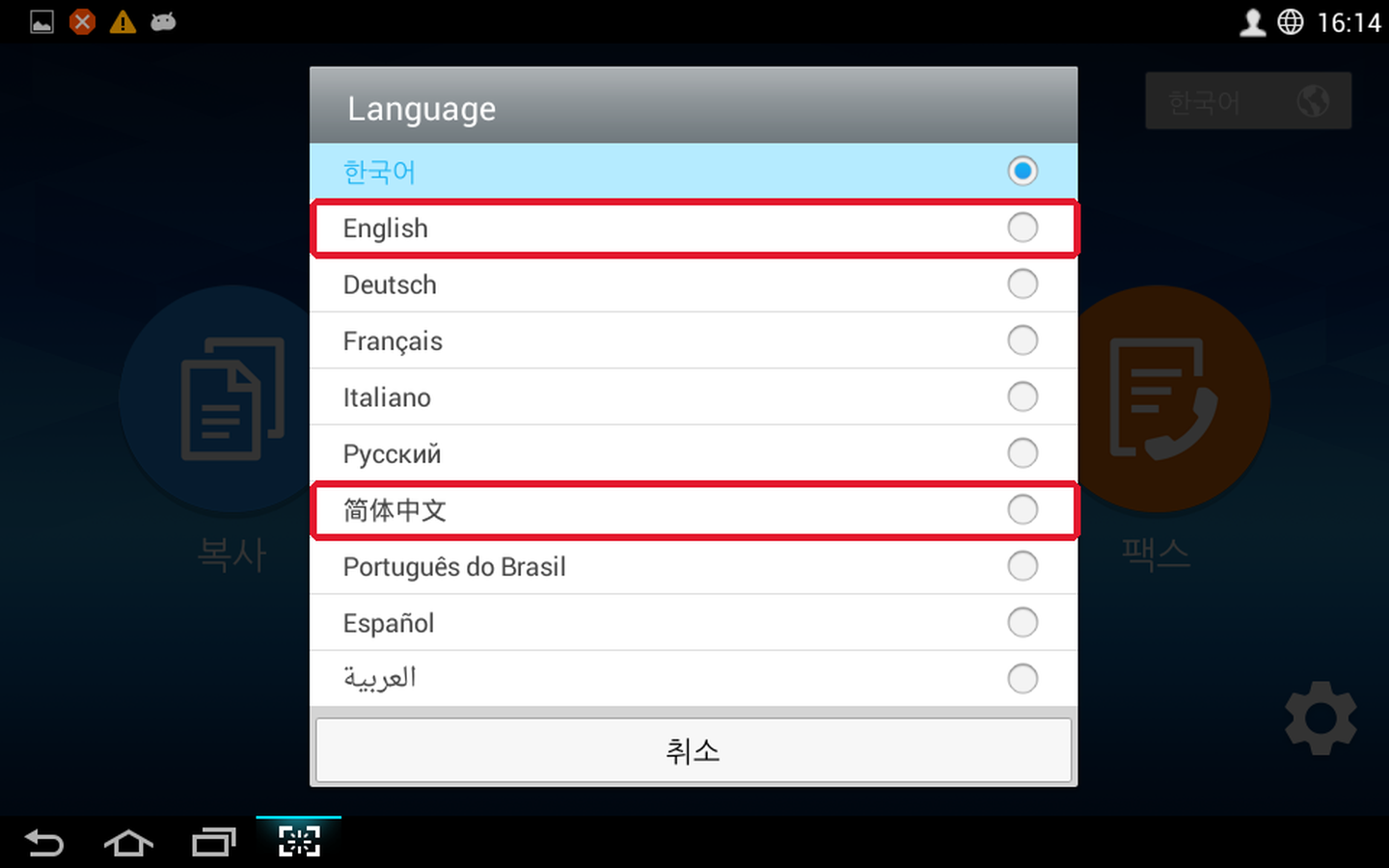
![The [한국어] button at the top right of the printer machine's first screen](../images/common/mfp-lang-1.png)
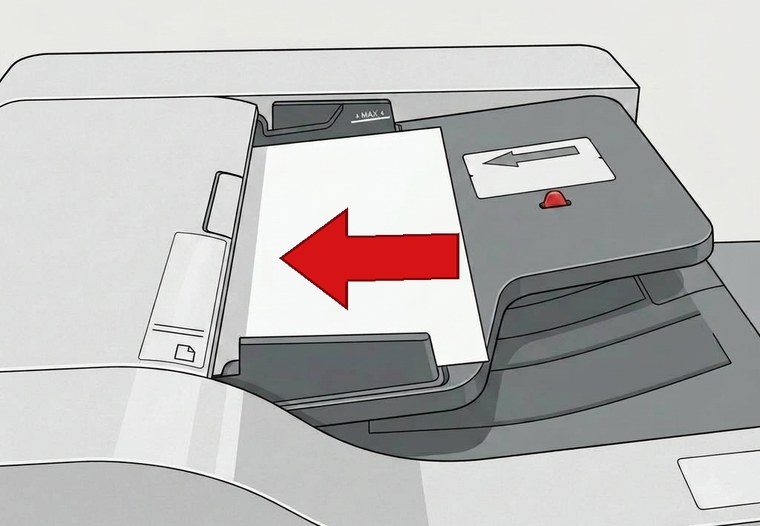
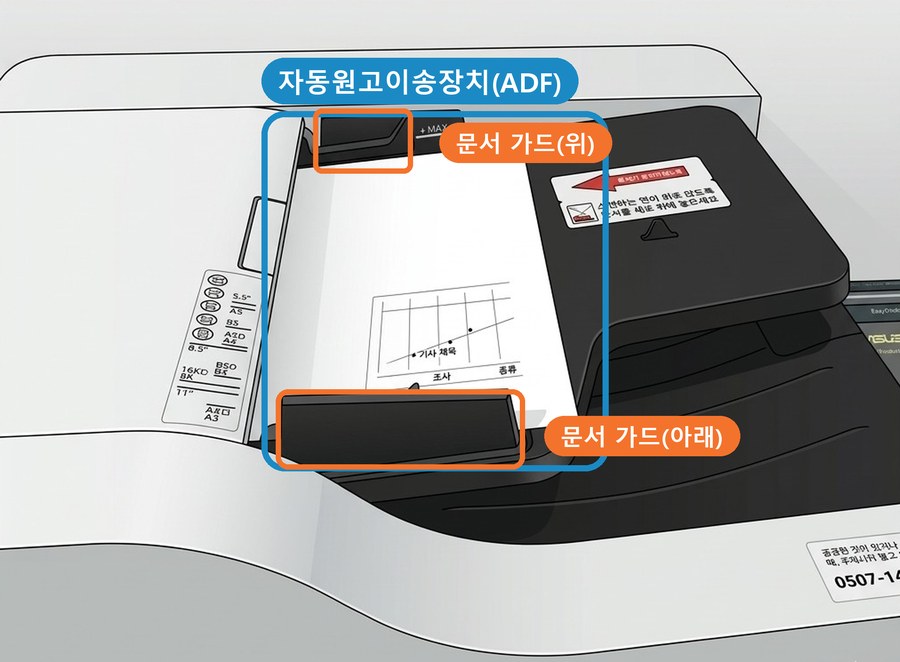
Always place the original first, then press [Fax] on the screen.
When you touch [Fax], the options screen appears right away.
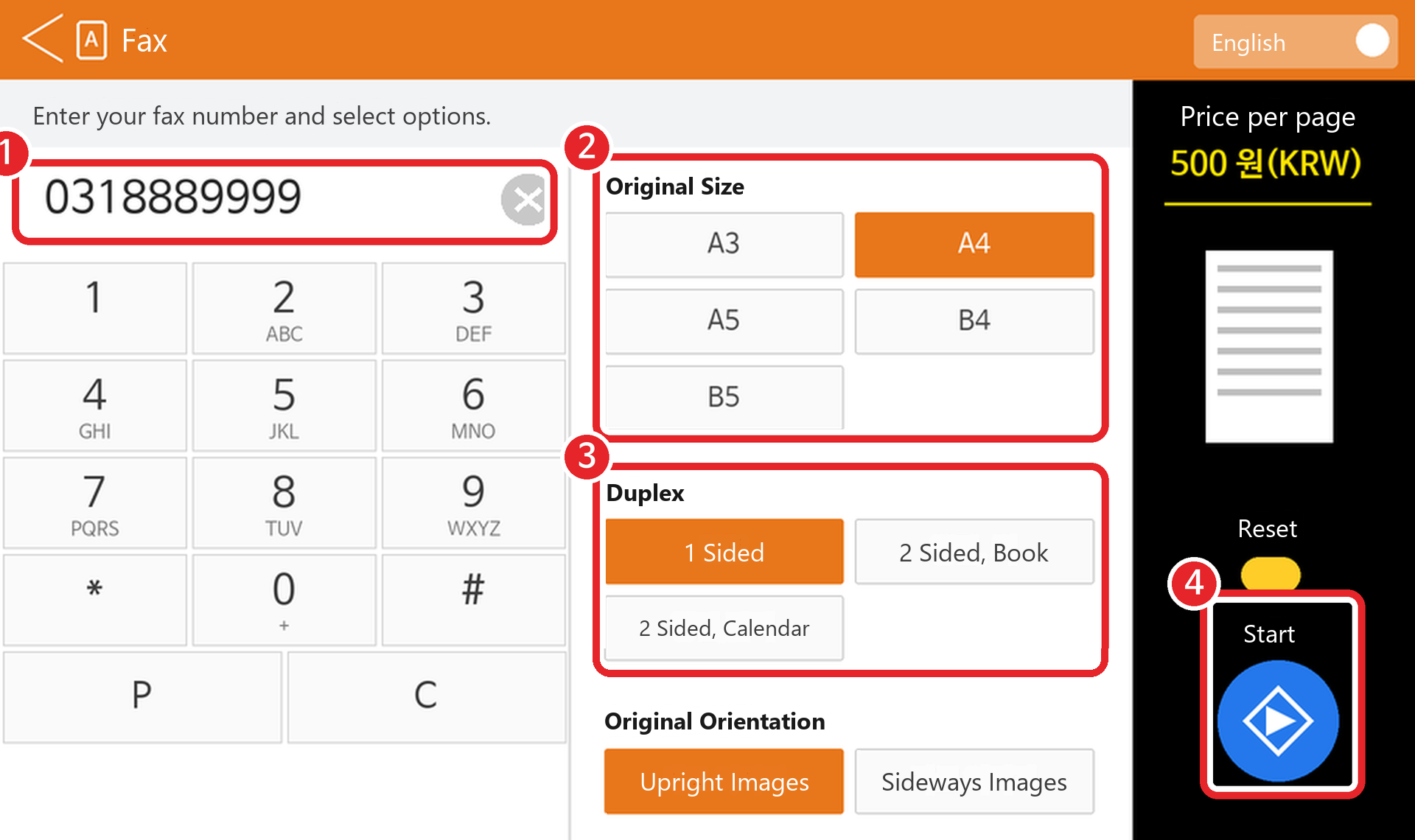
Type ① the receiver's fax number using numbers only. Choose options like ② original size (A4 by default; change it if your original is B4 or A3) and ③ two-sided/one-sided, then press ④ [Start].
If the receiver's fax number has an area code, always type the whole number including the area code.
e.g.) 031-888-9999 → type 0318889999, numbers only, starting from the area code.
Carefully check the receiver's number and the number of pages. If everything is correct, press [OK].
![The [팩스확인] (Fax check) icon on the store PC desktop: an orange background with a fax machine and a check mark](../images/fax/faxcheck-icon.png?v=1)
After paying, check the result in whichever of the two ways is easier.
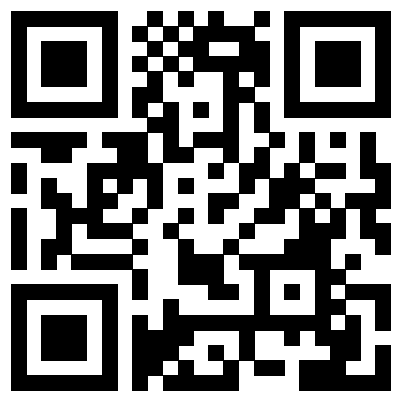
① Scan the QR code above with your phone, or ② click the [팩스확인] (Fax check) icon on the store PC desktop. It's an internet fax, so it may take a while depending on the connection and the number of pages.
👍 If you have many pages, send them 30 at a time.
This page was translated from Korean. If anything looks wrong, please tell us on Naver TalkTalk. Screens on the machines are in Korean — the Korean button names are shown in [brackets].